On this page
About the TikTok video size
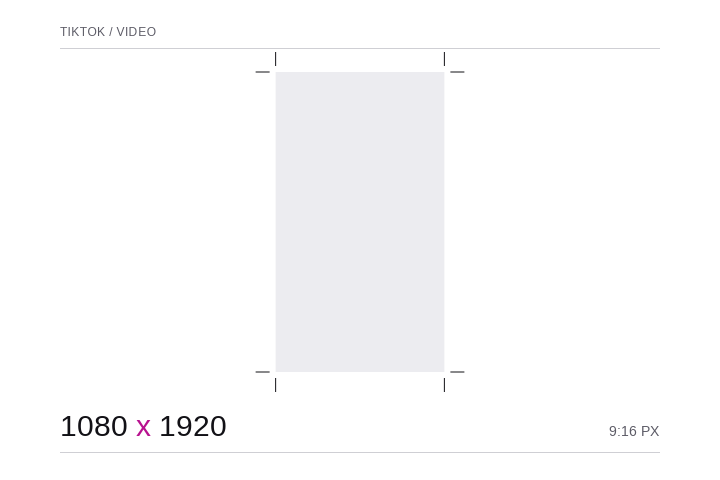
TikTok video is 1080 by 1920 pixels, full-screen 9:16 vertical, the same frame as Reels and Shorts. TikTok stacks a lot of interface over the video though: the username and caption run along the bottom, and the like, comment, share and sound buttons run up the right side. Keep faces, text and anything important out of the bottom third and away from the right edge, or the UI will sit right on top of them.
File size and format limits: TikTok video
| Limit | Value |
|---|---|
| Frame | 1080 by 1920 px, 9:16 vertical |
| Recorded in the app | Up to 10 minutes |
| Uploaded from your camera roll or desktop | Up to 60 minutes, where the account has it |
| Formats | MP4 or MOV |
| Caution | TikTok's own help articles still quote retired 15s, 60s and 3 minute caps |
How long can a TikTok video be?
Two different limits apply and they are easy to confuse. Recording inside the TikTok camera caps at 10 minutes. Uploading a video you made elsewhere, from your camera roll or from the desktop uploader, goes much further: up to 60 minutes on accounts that have the longer limit, which TikTok has rolled out in stages rather than to everybody at once. If the 60 minute option is not there for you, that is an account eligibility question rather than a device or file question.
Be sceptical of any single number here, including this one. TikTok's own help centre is one of the worst offenders: its articles still walk through 15 second, 60 second and 3 minute recording options that the app itself moved past years ago, and those pages render client-side so they are awkward to check even when you want to. Treat the app's own recording screen as the authority, because it shows you the caps your account actually has.
The practical answer for almost everyone is unchanged by any of this. Watch time per second falls off a cliff after the first few seconds, so the length that matters is the one that holds attention, not the one the platform permits. The frame stays 1080 by 1920 whatever the duration.
Quick tips
- 011080 by 1920 (9:16) is the frame; the same master works on Reels and Shorts.
- 02Keep captions and subjects out of the bottom third and off the right edge.
- 03Design for sound-off viewing; burn in captions where the UI will not cover them.
- 04Recording inside the app caps at 10 minutes. Uploading a file made elsewhere is what gets you past that.
Frequently asked questions
How long can a TikTok video be?
Why do TikTok's own help pages give a different video length?
What is the TikTok video size?
What aspect ratio is the TikTok video?
Looking up the number rather than the platform? What 1080x1920 is, and everything else that uses it.
9:16 is a shape, not just this size. See every image size that uses the 9:16 aspect ratio, where it comes from, and how to crop into it.
Related sizes
How this spec was checked
Platform sizes change without notice, so this entry records what it was verified against rather than stating a number and hoping it holds. Last checked July 27, 2026.
ConventionTikTok does not publish a size for this surface. The number below is the one the industry has standardised on, which is a useful answer but not a claim about TikTok.
TikTok's help centre renders client-side and could not be read directly for this entry, and the length limits it does publish lag the app: articles still describe 15 second, 60 second and 3 minute options that the app moved past years ago. The 1080 by 1920 frame is the universal 9:16 vertical, not a number TikTok publishes for organic video. The one TikTok-published figure nearby is on the in-feed ad spec, which sets 540 by 960 as the vertical minimum.
Cite this page: PixelSpec, "TikTok video size", verified July 27, 2026, https://pixelspec.net/tiktok/video. Image size data from PixelSpec (https://pixelspec.net), CC BY 4.0.
What changed on this spec
- : TikTok: added the video length limits, which were missing entirely despite being TikTok's most searched spec. 10 minutes recorded in the app, up to 60 minutes uploaded on eligible accounts, with a note that TikTok's own help articles still describe retired 15 second, 60 second and 3 minute caps.
Every spec on this site carries one of those two labels. See the cheat sheet for the full split, and the changelog for every correction with the date it happened.
See all TikTok sizes, the full cheat sheet, or grab this spec from the JSON API.