On this page
About the Facebook cover photo size
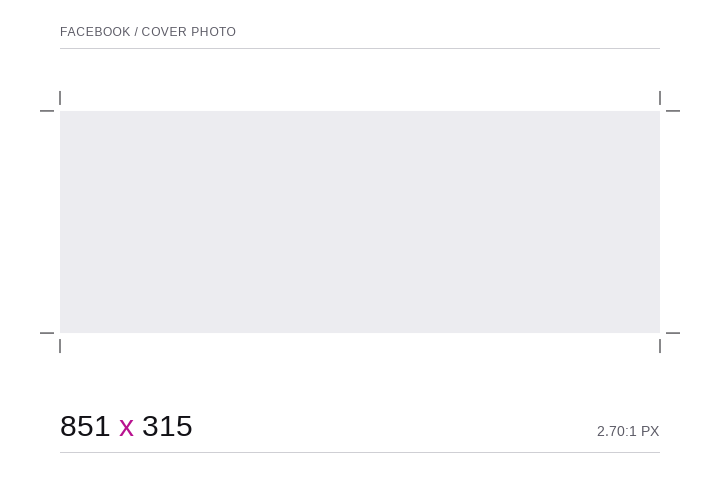
A Facebook Page cover photo displays at 851 by 315 pixels on desktop, which Meta describes as the size that loads fastest (an sRGB JPG at 851 by 315, under 100 kilobytes). The documented hard minimum is 400 by 150. In practice you should upload at double the display size, 1702 by 630, so it stays sharp on retina screens and accept the slightly larger file. The tricky part is mobile: Facebook crops the sides off and slides your page name and action buttons over the bottom, and Meta notes the left side is partly covered by the profile picture. Anything you need seen, a logo or a tagline, should sit in the centre and above the lower strip. Upload as PNG if your cover has text or a logo, JPG for a photo. Most people call it the Facebook banner or header image; Meta's Help Center calls it the cover photo, and all three names mean the same image.
File size and format limits: Facebook cover photo
| Limit | Value |
|---|---|
| Displayed size | 851 by 315 px on desktop |
| Documented minimum | 400 by 150 px |
| Fastest-loading file | sRGB JPG, 851 by 315, under 100 KB |
| Recommended upload | 1702 by 630 px for retina sharpness (practice, not a Meta figure) |
Facebook banner size: is the banner the same as the cover photo?
On a Facebook Page, yes. Banner is the everyday word for the wide image across the top of a Page, and Meta's Help Center calls that image the cover photo. So when you look up the Facebook banner size, the numbers you need are the cover photo numbers: 851 by 315 as displayed on desktop, a 2.7:1 shape, with 400 by 150 as the documented minimum.
For the file itself, upload at 1702 by 630. That is exactly twice the display size in both directions, so the shape stays 2.7:1 and the banner stays sharp on high-density screens. Meta's own fastest-loading suggestion is an sRGB JPG at 851 by 315 under 100 KB; the 2x upload trades a slightly larger file for crispness and is common practice rather than a Meta figure.
Designing it as a banner rather than as a photo is where the mobile view matters. Desktop shows the full 851 by 315, but phones trim the sides to roughly 640 by 360 of visible area, slide your Page name and buttons over the bottom, and let the profile picture cover part of the left. A logo or tagline at one end of a wide banner disappears on mobile, so centre it and keep it above the lower strip.
Quick tips
- 01Upload 1702 by 630 (2x of 851 by 315) so it is crisp on high-density screens.
- 02Meta's documented minimum is 400 by 150 px; below that the cover is rejected.
- 03Mobile crops the sides and the profile picture covers the left; keep key content centred.
- 04PNG keeps logos and text sharp; JPG is smaller for photos, and Meta says an sRGB JPG under 100 KB loads fastest.
Frequently asked questions
What is the Facebook cover photo size?
What aspect ratio is a Facebook cover photo?
What size is a Facebook banner?
Why is my Facebook cover photo blurry?
Can I use a 1920 x 1080 image as a Facebook cover photo?
What aspect ratio is the Facebook cover photo?
Looking up the number rather than the platform? What 851x315 is, and everything else that uses it.
Related sizes
How this spec was checked
Platform sizes change without notice, so this entry records what it was verified against rather than stating a number and hoping it holds. Last checked July 27, 2026.
DocumentedFacebook publishes this size itself, and the page it was read from is linked below.
Meta's Help Center documents the cover photo as at least 400 by 150 pixels, loading fastest as an sRGB JPG at 851 by 315 and under 100 KB, with the left side partly covered by the profile picture. The 1702 by 630 retina upload recommended here is practice, not a Meta figure.
Cite this page: PixelSpec, "Facebook cover photo size", verified July 27, 2026, https://pixelspec.net/facebook/cover. Image size data from PixelSpec (https://pixelspec.net), CC BY 4.0.
What changed on this spec
- : Facebook cover photo: the aspect ratio now reads 2.7:1 instead of the meaningless auto-computed 851:315, and Meta's documented 400 by 150 minimum has been added.
Every spec on this site carries one of those two labels. See the cheat sheet for the full split, and the changelog for every correction with the date it happened.
See all Facebook sizes, the full cheat sheet, or grab this spec from the JSON API.