On this page
About the Threads profile picture size
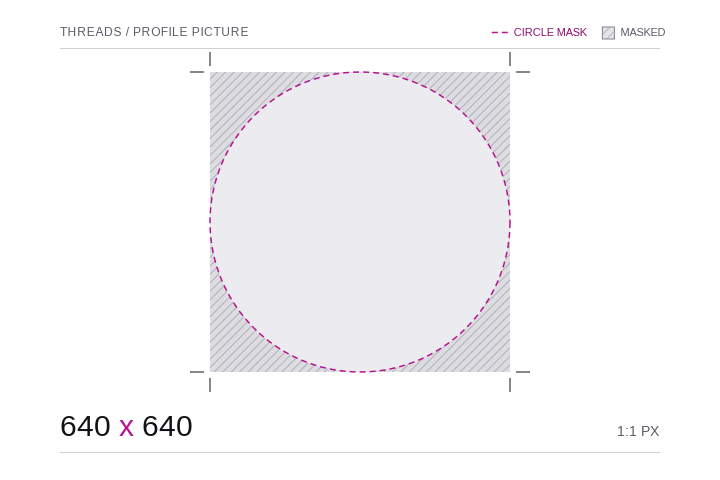
Export your Threads profile picture as a 640 by 640 square. Threads does not have its own separate profile picture spec: when you create a Threads profile it uses your linked Instagram account's photo automatically, stored at the same roughly 320 by 320 pixels and shown as a circle. You can swap in a different image from your camera roll at any time from Edit Profile, or re-import the Instagram one later, but neither choice affects your actual Instagram photo unless you specifically import it there. Because the same image and circle mask carry over, the same rule applies: the larger export keeps it sharp on high-density screens, and the subject needs to be centred.
Quick tips
- 01Export a 640 by 640 square; Threads stores it at roughly 320 by 320, so the larger file just keeps it sharp.
- 02Threads uses your linked Instagram photo by default, so it inherits Instagram's circle-masked square.
- 03You can pick a different image in Edit Profile without changing your Instagram photo.
Frequently asked questions
Is the Threads profile picture the same as Instagram?
What aspect ratio is the Threads profile picture?
1:1 is a shape, not just this size. See every image size that uses the 1:1 aspect ratio, where it comes from, and how to crop into it.
Related sizes
How this spec was checked
Platform sizes change without notice, so this entry records what it was verified against rather than stating a number and hoping it holds. Last checked July 2, 2026.
ConventionThreads does not publish a size for this surface. The number below is the one the industry has standardised on, which is a useful answer but not a claim about Threads.
Neither Threads nor Instagram publishes a profile picture pixel spec. The roughly 320 by 320 stored size is a community measurement; the 640 by 640 upload recommended here is simply a clean square that downscales to it without softening.
Cite this page: PixelSpec, "Threads profile picture size", verified July 2, 2026, https://pixelspec.net/threads/profile. Image size data from PixelSpec (https://pixelspec.net), CC BY 4.0.
What changed on this spec
- : Instagram, TikTok and Threads profile pictures now headline the size you should export rather than the smaller size the app stores, which contradicted the advice in the prose directly underneath.
Every spec on this site carries one of those two labels. See the cheat sheet for the full split, and the changelog for every correction with the date it happened.
See all Threads sizes, the full cheat sheet, or grab this spec from the JSON API.